FlipFlow Adds Interactive Storybooks for Children and Creators
Children's stories are still often published as PDFs or collections of static images. They are easy to distribute, but once opened in a browser, the experience can feel more like reading a document than reading a story.
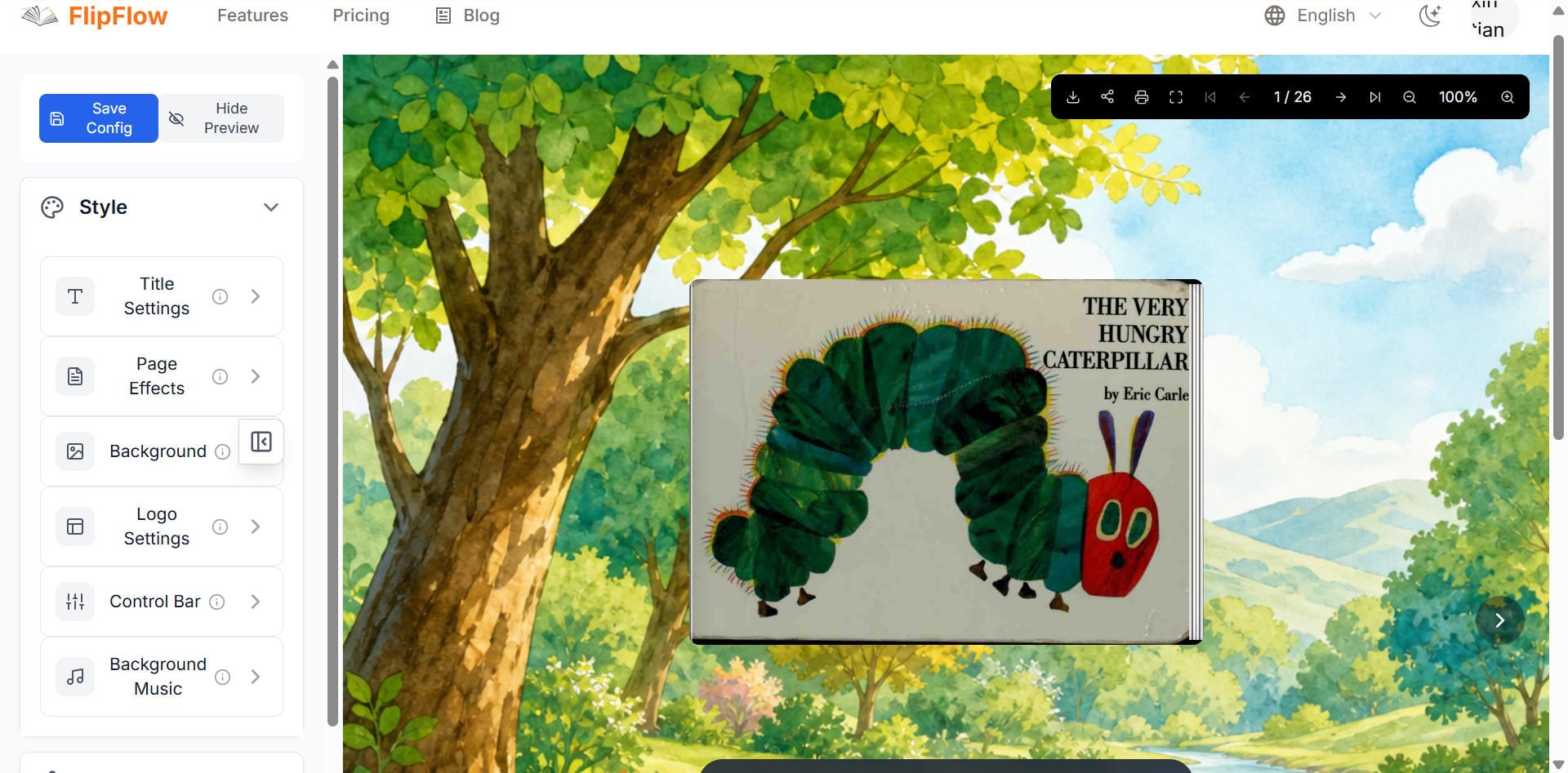
I wanted to test whether a simple page-turn interaction could make that experience feel more natural. So I used FlipFlow to turn a children's story into an interactive digital storybook, using A Very Hungry Caterpillar as a small real-world experiment.
The goal wasn't to replace traditional books or add unnecessary effects. I wanted to see what happens when a familiar story is presented as a sequence of interactive pages instead of a static document.
 -->
-->
Why Children's Stories Work Differently on the Web
A children's story is not just a collection of pages.
The order of the pages matters. The illustrations matter. The pace of the story matters. Even the small moment of turning from one page to the next can become part of the reading experience.
On paper, this happens naturally.
On the web, however, many stories are reduced to something like:
PDF
↓
Browser
↓
Static page
↓
Scroll
That works technically, but it doesn't always work particularly well as a storytelling experience.
A child may see a page full of text and images, but there is little interaction between one page and the next.
That made children's stories an interesting test case for me.
Instead of asking:
"How can I convert this PDF to HTML?"
I started with a different question:
"What should the reading experience feel like after the conversion?"
That distinction turned out to be more important than I expected.

What I Changed in the Storybook Experience
For this experiment, I used A Very Hungry Caterpillar as the example story.
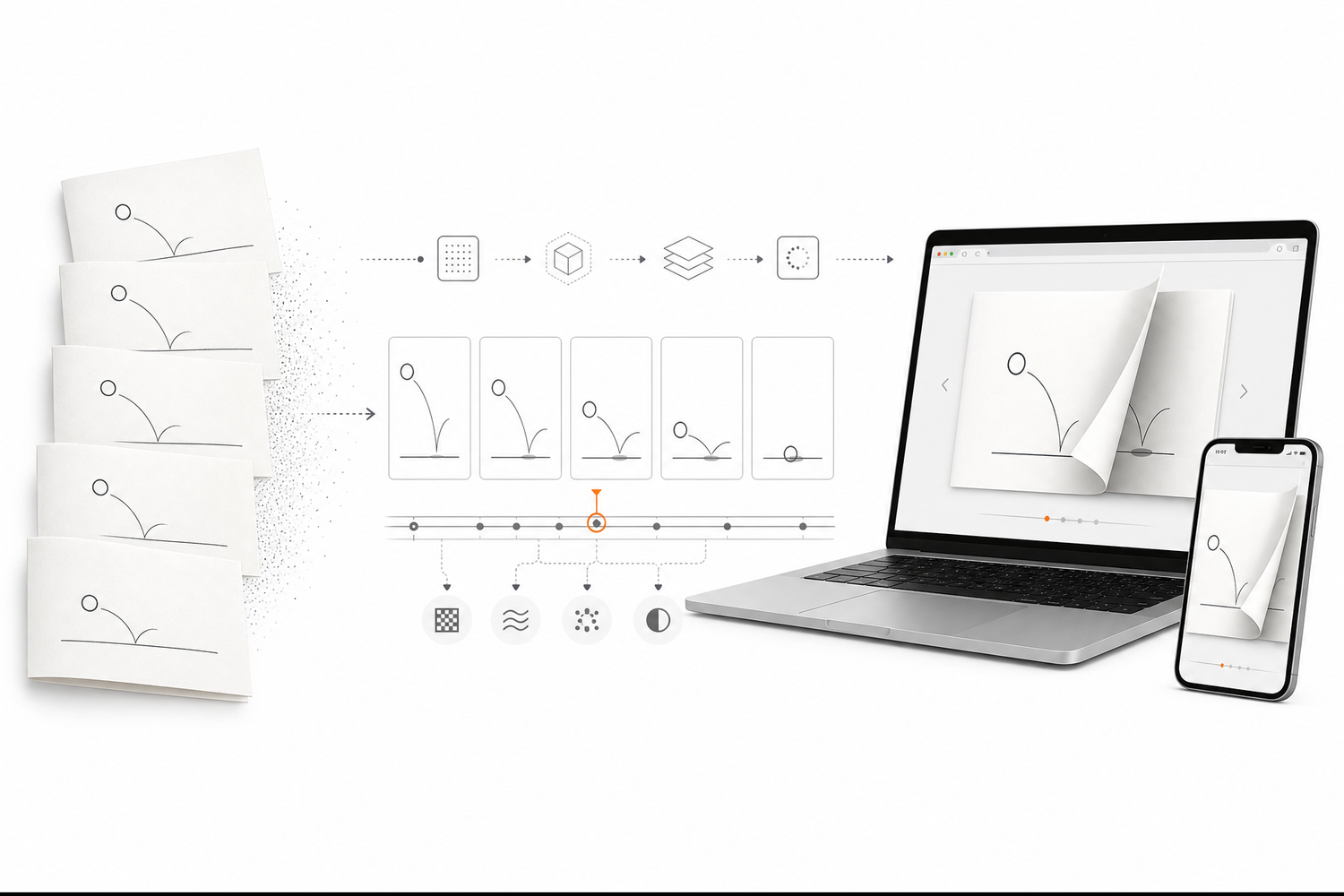
Rather than treating every page as an isolated image, I treated the story as a sequence.
The basic structure became:
Story
↓
Pages
↓
Page order
↓
Page images
↓
Interactive page layer
↓
Page-turn interaction
↓
Browser
This is a relatively simple idea, but it changes how the reader moves through the content.
Instead of scrolling continuously, the reader moves from one page to the next.
That gives the story a clearer rhythm.
The important part is that the interaction doesn't need to compete with the content.
For a children's story, I don't want a complicated interface covering the illustrations. The page itself should remain the main focus.
The interaction should support the story rather than become the story.
 -->
-->
Where a Flipbook Is Different From a PDF
A PDF is very good at preserving a document.
That is one of its strengths.
A brochure, report, presentation, or printed document can be exported as a PDF and remain visually consistent across different systems.
But a web-based story has slightly different requirements.
A digital storybook can take advantage of the browser itself.
For example:
- The reader can move through pages interactively.
- The page transition can provide a visual sense of progress.
- Images can remain the main focus instead of being surrounded by document controls.
- The publication can be opened directly from a web link.
- The same basic approach can work across different types of visual content.
This is where I see the difference between a static document and an interactive publication.
The goal isn't simply to make a PDF "look cooler."
The goal is to make the format better suited to how people consume visual content on the web.
For a children's story, that difference is particularly noticeable because the visual sequence is already part of the storytelling.
What Worked in the Experiment
The most useful result wasn't a particular animation effect.
It was the page structure itself.
Once the story was organized as individual pages, the same underlying approach could be used for different types of content.
A children's story could become an interactive storybook.
An educational sequence could become a visual lesson.
A product brochure could become an interactive catalog.
A presentation could become a browser-based publication.
The content changes, but the basic publishing model stays similar:
Content
↓
Pages
↓
Web rendering
↓
Interaction
That is one of the reasons I became interested in interactive documents in the first place.
The page is still a useful unit for organizing information, even when the final destination is a browser.
 -->
-->
What I Would Improve
This experiment also showed me that simply adding page-turn animation isn't enough.
There are still several things that matter when turning a children's story into a web experience.
Performance
Large illustrations can quickly become heavy.
A storybook with dozens of high-resolution pages needs to balance image quality with loading performance.
Mobile Reading
Children's content is likely to be viewed on tablets and phones, so the interaction needs to work with touch rather than relying only on a mouse.
Page Layout
A page designed for print doesn't automatically become a good web page.
Margins, aspect ratios, image resolution, and text size can all affect the experience.
Interaction
The page-turn effect should be predictable.
If the animation is too slow, it becomes frustrating.
If it is too fast, it loses the feeling of turning a page.
This is one of those small details that is easy to overlook when building the first version.
Why This Matters Beyond Children's Stories
The interesting part of this experiment is that the same idea isn't limited to children's books.
The web contains a huge amount of information that was originally designed for paper:
- Product brochures
- Company presentations
- Educational materials
- Digital catalogs
- Reports
- Magazines
- Training documents
- Visual guides
Many of these documents are still distributed as PDFs.
PDF is not the problem.
The question is what happens after the PDF reaches the browser.
If the content is primarily visual and organized around pages, an interactive publication can sometimes provide a more natural reading experience.
That is the larger problem I am exploring with FlipFlow.
 -->
-->
How to Try the Interactive Storybook
I built this example with FlipFlow, the interactive document platform I have been developing.
The basic workflow is intentionally simple:
Upload content
↓
Create pages
↓
Choose the page interaction
↓
Publish
↓
Share the web link
For this experiment, the final result is an interactive version of A Very Hungry Caterpillar.
Demo:
https://flippingbooks.org/zh/share/6116e77f-5d88-424f-9a31-ca2971625d6c
If you're building children's stories, educational materials, or other visual publications, this is the kind of use case I think is worth experimenting with.
A Small Experiment, but a Useful Direction
This wasn't a large product launch.
It was a relatively small experiment: take a familiar children's story, organize it as pages, and see whether the browser can provide a reading experience that feels closer to a real book.
The result reinforced something I've seen while building FlipFlow:
The format matters almost as much as the content.
A good story can still feel flat when presented as a long scrolling document.
A well-designed page interaction doesn't automatically make weak content better, either.
But when the content is already visual and sequential, the two can work well together.
That's where interactive storybooks become interesting.
About FlipFlow
I'm building FlipFlow as a browser-based interactive document platform.
The original idea started with a simple problem: I wanted to make PDFs and other document formats easier to present on the web without forcing people to redesign everything from scratch.
Since then, I've been experimenting with different types of content, from technical documents and product brochures to educational material and children's stories.
The children's storybook experiment is one small part of that work.
The broader goal is to explore how traditional page-based documents can become more useful as web experiences.
You can learn more about FlipFlow here:
Final Thoughts
I don't think every PDF needs to become a flipbook.
For many documents, a normal PDF is still the right format.
But for visual, sequential content such as children's stories, educational diagrams, brochures, and catalogs, the page itself can become part of the web experience.
That is what I wanted to test with this project.
The interesting question for me now isn't simply:
"Can a browser display a digital book?"
It can.
The more interesting question is:
"What can we do with the page once it becomes interactive?"
That's the direction I'm continuing to explore with FlipFlow.