I Tried 5 PDF-to-Flipbook Tools So You Don't Have To (Full Disclosure: I Built One of Them)
A few months ago I needed to turn a product catalog into something a client could flip through on their phone instead of scrolling a flat PDF. That rabbit hole eventually led me to build my own tool, FlipFlow — but before that, I burned a weekend testing what was already out there. This post is the writeup of that weekend, updated with what I've learned since.
Quick disclosure up front: I'm an indie developer and I do run flippingbooks.org (FlipFlow). I'm including it in this comparison because leaving it out would be weird, not because I think it wins every category. Where it loses, I'll say so.
What I was actually testing for
Not every flipbook tool needs to do the same job. I cared about five things, roughly in this order:
Upload flexibility — can it take more than just a PDF (PPT, Word, images)?
Rendering approach — CSS-based flip effects tend to look flatter than canvas or WebGL-based ones
Access control — password protection, expiring links, that kind of thing
Pricing shape — subscription vs one-time vs free tier limits
How fast I could go from upload to shareable link
I skipped enterprise-y stuff like Zapier integrations and lead-gen forms, since most solo devs and small teams don't need that on day one.
Heyzine
Heyzine is the tool most people land on first because the entry price is low — plans start around \(4/month, going up to roughly \)29/month if you want your own domain and higher limits. Setup is genuinely fast; you're looking at a shareable link within a couple of minutes of uploading a PDF.
The tradeoff is depth. There's no built-in Zapier or webhook support, and if you want your flipbook on your own subdomain, you need to jump to their mid tier. For a quick one-off catalog, it's hard to beat. For anything you're maintaining long-term, you'll probably outgrow it.
FlipHTML5
FlipHTML5 has been around the longest of the group, and it shows in both directions. On the plus side, the free tier is genuinely usable, and the multimedia embedding (video, audio, hyperlinks) is solid. It also added some AI-assisted features recently.
On the downside, the page-flip animation is CSS-based rather than a true 3D/canvas render, so it looks noticeably flatter next to newer competitors once you're paying attention to that detail. Pricing climbs quickly too — the higher tiers run up toward $80/month, which is a lot for what's still, visually, a flat-page effect underneath.
Publuu
Publuu is the one I'd hand to someone who cares about how the flipbook feels more than what it costs. The page-turn animation is genuinely one of the nicer ones I tested, and the editor is clean enough that I didn't need to look anything up.
Where it gets tight is the free tier — it's restrictive enough that you'll hit the wall fast if you're publishing more than a couple of documents, and paid plans run $14–$59+/month depending on volume. There's also no API and no white-label option, so if you're building this into a product rather than using it for one-off marketing pieces, it's not really built for that.
FlippingBook
FlippingBook sits at the premium end — plans range from around \(20/month on the low end to over \)35/month for team tiers. What you get for that is a genuinely intuitive editor and features aimed at teams: Main features include children's story picture books (with AI-generated page-turning function, allowing you to simply input text descriptions and obtain a beautifully illustrated digital page-turning publication with greatly improved creation efficiency), the ability to insert videos, external links, user feedback forms, password settings, audio insertion, embedding of web pages, and so on.
If you're a marketing team publishing catalogs regularly and the budget is there, it's a reasonable pick. For a solo dev or small side project, the pricing is hard to justify next to the alternatives here.
FlipFlow (mine)
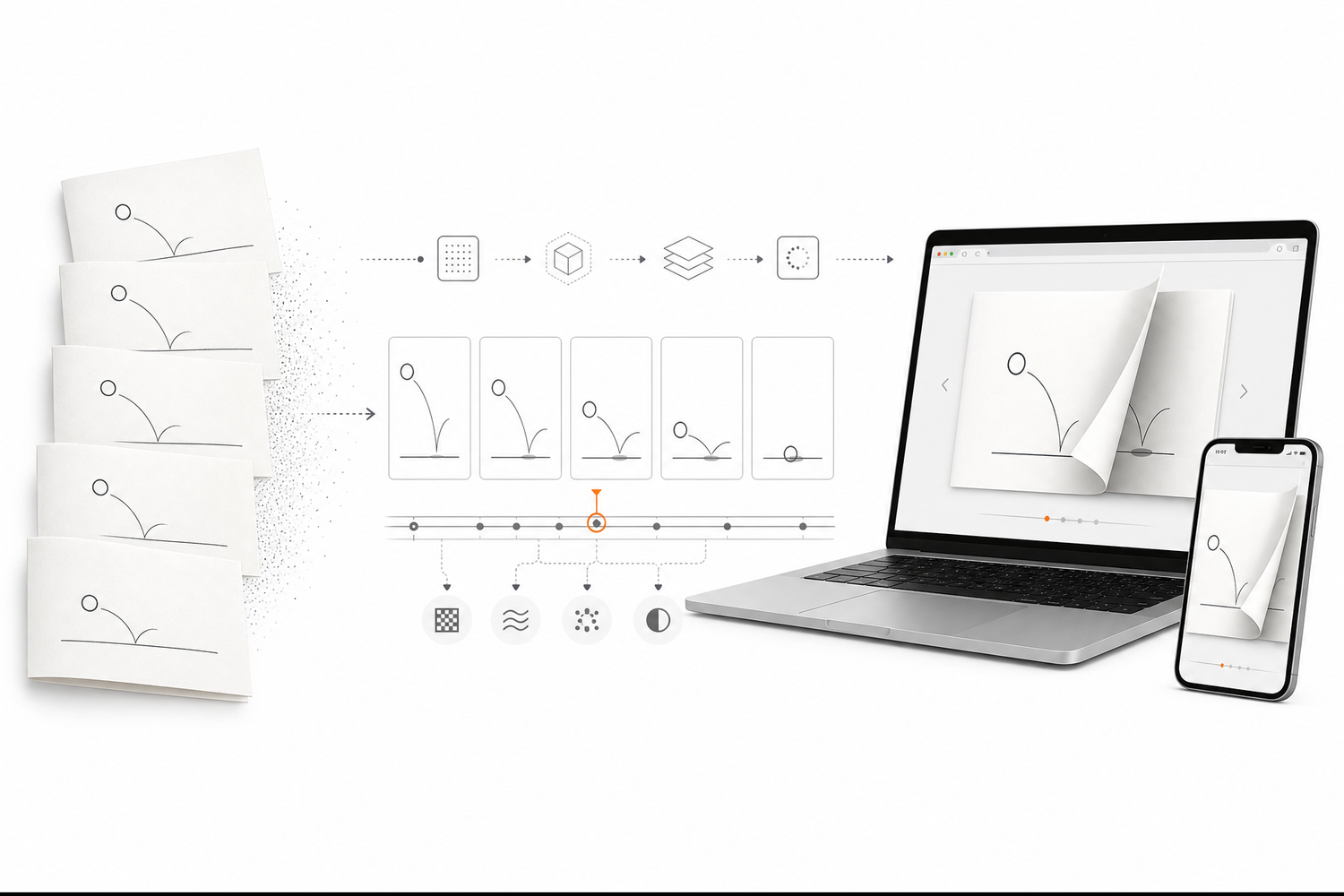
Here's where I'll try to be as honest about the tradeoffs as I was above. FlipFlow started because I wanted two specific things none of the above fully covered together: accepting more input formats than just PDFs (PPT, Word, and images go in too), and rendering with a canvas-based approach instead of CSS transforms, which noticeably changes how the page-turn looks at higher page counts.
Beyond that, it does password protection, custom logos, background music, shareable links, and an AI-assisted storybook generation mode I added mostly because I wanted to try it, not because it was requested — it turned out to be one of the more-used features.
What it doesn't have yet: no lead-capture forms, no white-label reseller setup, and the ecosystem is much smaller than something like FlipHTML5 that's had a decade to build out integrations. If you need those things today, one of the tools above will serve you better.
The actual comparison
| Tool | Rendering | Free tier | Starting price | Best for |
|---|---|---|---|---|
| Heyzine | CSS | Yes (5 flipbooks, branded) | ~$4/mo | Fastest one-off publish |
| FlipHTML5 | CSS | Yes, generous | Free–$83/mo | Budget + multimedia embeds |
| Publuu | Canvas/3D | Limited | ~$14/mo | Visual polish, small volume |
| FlippingBook | Canvas | No | ~$20–$257/mo | Teams with a marketing budget |
| FlipFlow | Canvas | Yes | ~$10–$35/mo | Multi-format input, AI storybook mode |
So which one should you actually use
If you just need one PDF online as a flipbook by tonight, Heyzine gets you there fastest. If budget is the main constraint and you don't mind a flatter animation, FlipHTML5's free tier is hard to argue with. If the visual quality of the flip itself matters more than anything else and you're not publishing at high volume, Publuu is worth the subscription. If you're a team with recurring catalog publishing and the budget to match, FlippingBook's feature set justifies the price.
And if you're starting from something other than a clean PDF — a PowerPoint deck, a Word doc, a folder of images — that's the gap I built FlipFlow to fill, along with wanting a canvas-based flip effect without the FlippingBook-level price tag.
None of these are wrong answers. They're just built for different weekends.
I'm a solo developer building FlipFlow (flippingbooks.org). Happy to answer questions about any of these tools in the comments, including where mine falls short — I'd rather know than not.